
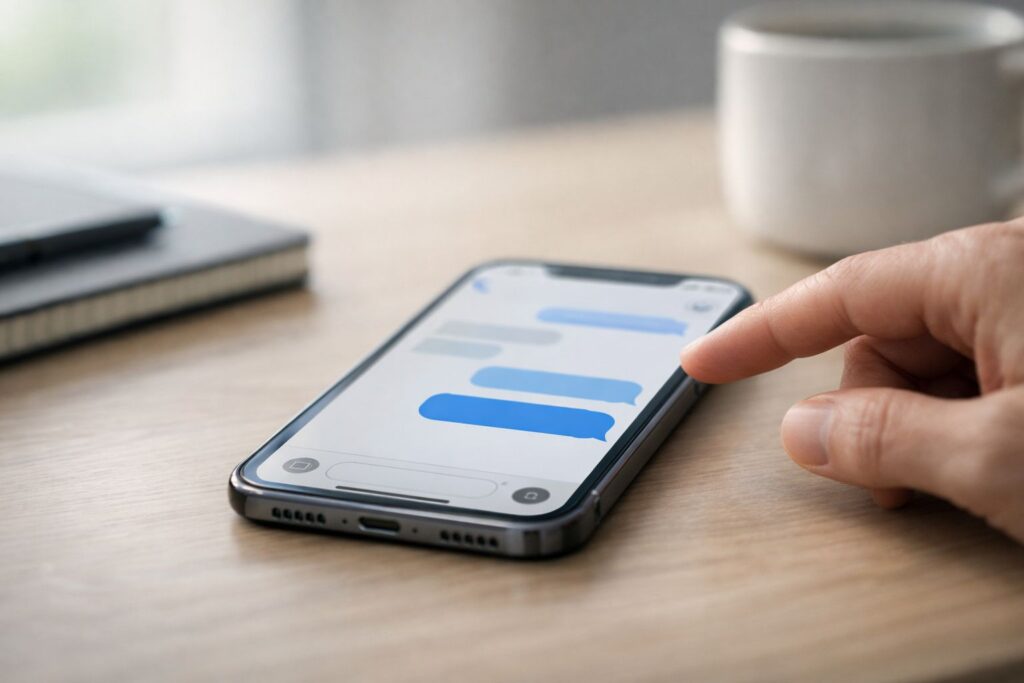
If you’re here because you sent a message and instantly regretted it, I get it. I’ve done the same thing—hit send, stare at the screen, and think, “Nope. That should not exist.”The tricky part is that “delete for both sides” on iPhone is real… but only in a specific situation.In plain English: you can only remove a message from both phones if it was sent as an iMessage (blue bubble), you act fast, and both devices are on compatible software.Otherwise, you can usually only delete it from your phone, not theirs.
This guide walks you through exactly what works, what doesn’t, and what to do when you’re outside the window.I’ll keep it practical and honest—no weird “hacks,” no vague promises, just how iPhone messaging actually behaves.
First, a quick reality check (blue vs green bubbles)
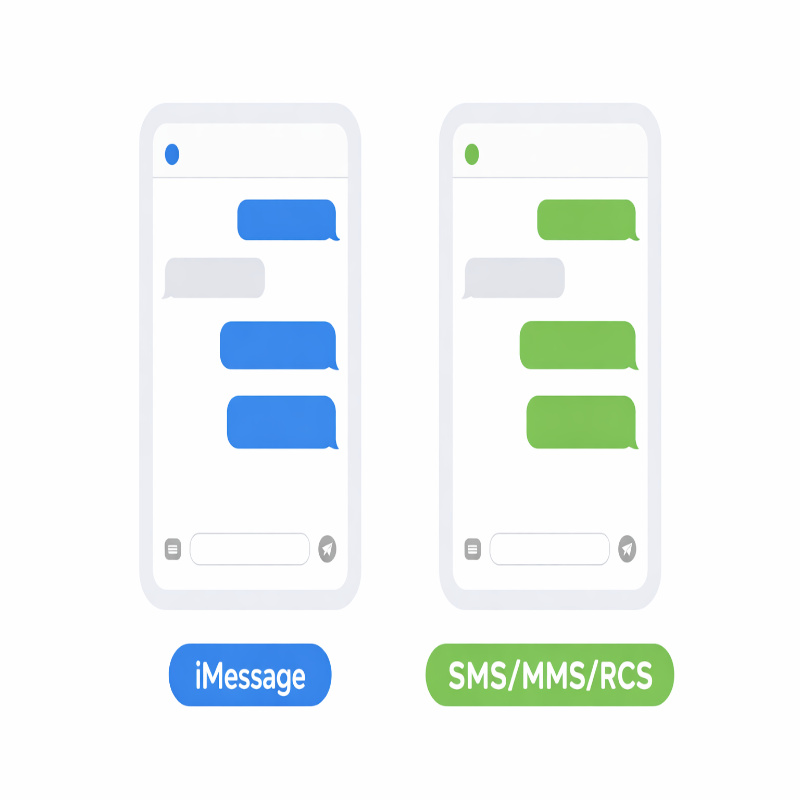
On iPhone, you’ll see two “types” of messages in the Messages app:iMessage shows as a blue bubble, while carrier texting shows as a green bubble (SMS/MMS and, in some cases, RCS).That color matters more than most people realize.
- Blue bubble (iMessage): You may be able to delete the message for both sides using “Undo Send,” but only for a short time after sending.
- Green bubble (SMS/MMS/RCS): You cannot truly delete it from the other person’s phone using Apple’s built-in tools. You can only remove it from your device.
Apple’s own guidance is pretty direct here: unsending/editing requires iMessage on modern Apple software, and SMS/MMS/RCS messages can’t be unsent (with a small group-chat exception for editing in mixed groups). If you want the official wording, Apple explains the limits on its Messages “unsend and edit” support page:
Unsend and edit messages on iPhone (Apple Support).
how to delete text messages on iphone for both sides (what actually works)
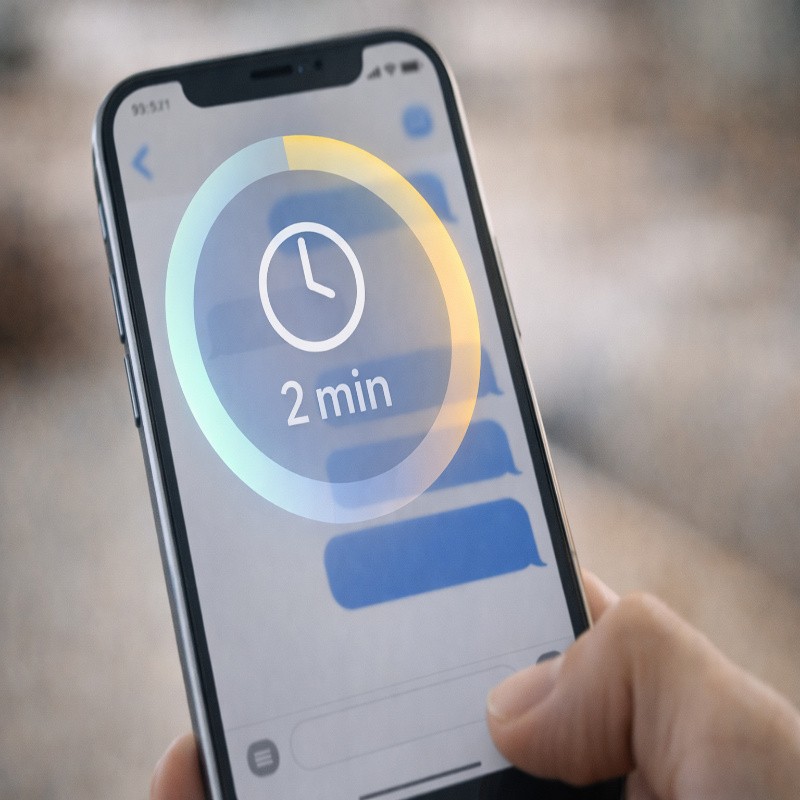
The feature you’re looking for is called Undo Send. It removes a recently sent iMessage from the conversation on both devices—yours and the recipient’s—assuming everything lines up.Apple says you can unsend a message for up to 2 minutes after sending it.
how to delete text messages on iphone for both sides using Undo Send
Here’s the exact process. It’s simple, but the timing matters.
- Open the Messages app.
- Open the conversation where you sent the message.
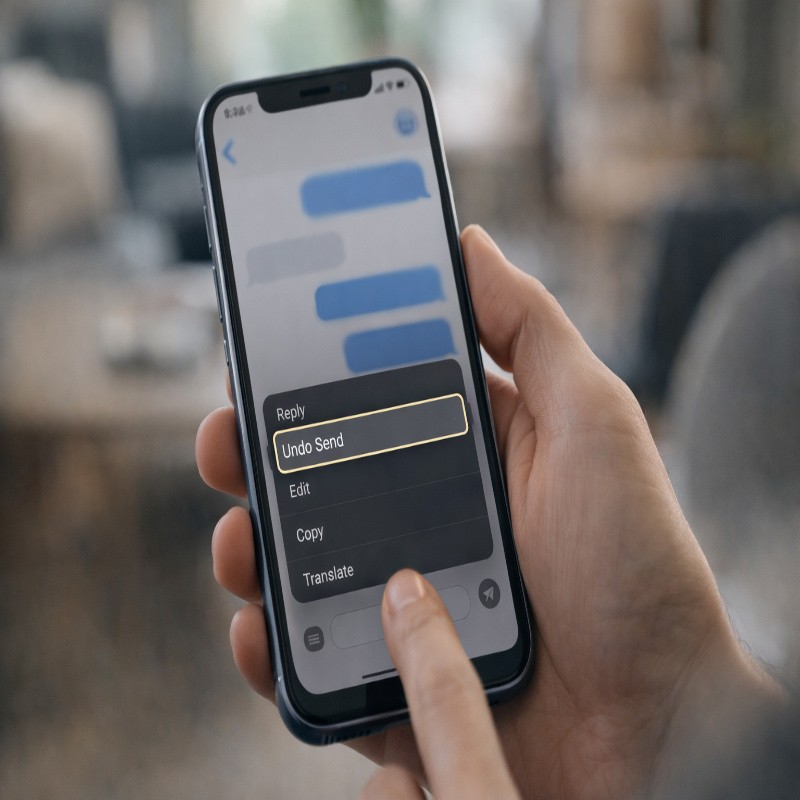
- Touch and hold the message bubble.
- Tap Undo Send.
If it works, you’ll see a note in the thread confirming the message was unsent, and it should be removed from the recipient’s device too—again, assuming they’re on compatible software.
This is one of those features that feels almost magical the first time you use it… and mildly annoying the first time you miss the window by 30 seconds.
The rules (and why it sometimes fails)
This is where most articles get fuzzy. Let’s keep it clean.Undo Send is not a universal “take back” button—Apple puts specific requirements around it.
You only get a short time window
Apple’s limit is up to 2 minutes after sending to unsend an iMessage.If you’re reading this after a few minutes (or hours), you’re not alone—most people discover this feature right after they need it.
It must be iMessage on both sides
To unsend or edit, Apple says you must be using iMessage on supported versions of iOS/iPadOS/macOS (and related Apple platforms).If you’re messaging someone who isn’t on iMessage—or the message went out as a green bubble—you won’t get true “both sides” deletion.
If the recipient has older software, they may still see it
This one catches people off guard: if you unsend a message to someone using an earlier operating system, Apple says the original message may remain in their conversation, and you’ll be notified that they may still see it.So yes, you might do everything “right” and still not get a clean erase on the other side.
It’s not you. It’s compatibility.
Unsend vs delete vs edit (they’re different)
People use the word “delete” for everything, which is fair, because it feels like one idea. But on iPhone, there are three different actions with three different outcomes.
- Undo Send: Removes a recent iMessage from both devices (within Apple’s limits).
- Delete on your iPhone: Removes the message from your phone only. It does not retract what the other person already received.
- Edit: Changes a recent iMessage, but it’s labeled as edited and can show history.
Editing is useful when the message is basically fine, just wrong—wrong name, wrong time, a typo that makes you look a little unhinged. Apple says you can edit a recently sent message up to five times within 15 minutes, and the message is marked as “Edited.”Both people can tap “Edited” to view previous versions of the message.
If you want a deeper, more focused explanation (and a few real-world “which should I use?” scenarios), I’d put that in a dedicated guide like unsend vs edit in iMessage on iPhone.It’s the kind of topic that deserves its own space, because it’s easy to misunderstand.
How to delete messages on your iPhone (just your side)
Sometimes you don’t actually need to retract a message; you just want it off your phone—privacy, a cleaner inbox, or you’re handing your phone to someone and you’d rather not explain a random thread from 2021.
Deleting locally is still useful. It just isn’t “both sides.”
Delete a single message (your phone only)
- Open Messages and open the conversation.
- Touch and hold the message bubble.
- Tap the delete option (wording can vary slightly by iOS version and context).
Delete an entire conversation thread (your phone only)
- Go to the main Messages list.
- Swipe left on the conversation.
- Tap Delete.
I’m intentionally being blunt here: deleting locally doesn’t claw the message back from the recipient.
If it’s a green bubble situation (SMS/MMS/RCS), this is basically your only built-in option—cleanup, not recall.
Green bubbles (SMS/MMS/RCS): what you can do instead
If your message is green, you’re probably hoping there’s still a way to delete it for both sides. I wish there were a neat trick.
Apple’s official stance is that SMS/MMS/RCS messages can’t be edited or unsent.
Still, there are a few realistic options, depending on what happened:
- Send a quick correction: Often the most effective “fix” is simply clarifying what you meant. Not elegant, but it works.
- Ask them to delete it: If it’s sensitive, a direct request is sometimes the best path.
- Reduce future lock-screen exposure: Consider adjusting notification previews so incoming texts don’t appear in full on the Lock Screen.
- Use iMessage when possible: If both of you have Apple devices, keep the conversation on iMessage so you have access to Undo Send next time.
If you want this explained in a very specific, troubleshooting-first way (like: “Why did my text turn green?” “Does RCS change anything?” “Is there any exception?”), that’s a great cluster topic:can you delete SMS/RCS texts on iPhone for both sides?
Why you don’t see “Undo Send” (common fixes)
This section is here because, honestly, most people don’t fail at unsending because they can’t follow steps. They fail because of one of the hidden rules.
Here are the usual culprits.
The message is older than 2 minutes
If it’s been longer than the allowed window, Undo Send won’t be available. At that point, you’re in “damage control” mode, not “retract” mode.
It’s not iMessage
If it’s green, it’s not an iMessage in the way Apple defines it for unsending/editing. That’s why the option disappears.
Your device (or their device) isn’t updated enough
Apple requires iMessage plus iOS 16 (and comparable versions on other Apple platforms) for unsend/edit.And even if you meet the requirement, the recipient being on older software can mean they still see the original message.For a more diagnostic walkthrough—almost like a “choose your own adventure” for this problem—this is where I’d link out to: delete text messages on iPhone for both sides not working.That post can go deeper on symptoms (missing button, message stays visible, mixed device groups) without bloating this pillar too much.
Group chats, photos, and other small gotchas
Group chats add a little messiness because you’ve got multiple devices and software versions in play.The same core rules still apply: Undo Send and Edit are iMessage features with time limits and compatibility limits.
Group iMessage threads
If everyone is on iMessage and modern Apple software, Undo Send behaves pretty much like you’d expect.If even one person is on older software, you can end up in that awkward spot where you unsent it, but someone can still see the original.
Photos, videos, and attachments
Attachments sent via iMessage are still messages in the thread, so the same “act fast” logic applies.If you’re outside the window, assume it’s already delivered and focus on what you can control.
FAQ (quick answers people actually want)
Can I delete a text message on iPhone for both sides?
Yes, but only if it was an iMessage (blue bubble) and you use Undo Send within Apple’s time limit. For green-bubble SMS/MMS/RCS, you can’t retract it from the recipient’s phone using Apple’s built-in feature.
Will the other person know I unsent an iMessage?
Yes. Apple shows a note in the conversation confirming a message was unsent, so it’s not invisible.That said, it’s often still better than leaving the original message there.
Why can they still see the message after I unsent it?
One common reason is the recipient’s software version. Apple says if the recipient uses an earlier operating system, the original message can remain visible to them even after you unsend it.
Can I unsend a message to an Android phone?
If it’s a green-bubble conversation, it’s not iMessage in the way Undo Send requires, so you shouldn’t expect “both sides” deletion through Apple’s feature.
In practice, assume you can’t recall it.
Conclusion
If you came here searching for how to delete text messages on iphone for both sides, the clean answer is this:you can do it with iMessage using Undo Send, but only within about two minutes, and it works best when the other person is also on up-to-date Apple software.If the message is green (SMS/MMS/RCS), you can delete it from your phone, but you can’t pull it back from theirs—so the best move is usually a quick correction, a request, or a plan to use iMessage next time.

More Stories
Best Budget Mechanical Keyboards in 2026: What to Buy (and What to Avoid)
Vimeo to MP3 Converter: Best Tools That Actually Work (Free & Online)
How to Combine Videos on iPhone