

If you’re trying to delete text messages on iPhone for both sides and it’s not working, the frustrating answer is that the feature is probably failing for a very specific reason. Usually, it comes down to one of a few things: the message was not sent as iMessage, the two-minute Undo Send window already passed, the other person is on older software, or iMessage itself is turned off somewhere in the chain.
I think this is why the topic confuses so many people. On the surface, it sounds simple—send message, regret message, remove message. But iPhone messaging is a little picky about what counts as removable from both sides and what only disappears from your own device.
This guide breaks down every common reason it fails, plus what to do next.
If you want the full overview first, including the basic rules behind blue bubbles, green bubbles, and what “Undo Send” actually does, start with the main guide on how to delete text messages on iphone for both sides.
This article is more of a troubleshooting version—less theory, more “why is this not working right now?”
What “not working” usually means
People use that phrase in a few different ways, and honestly, that matters. Sometimes “not working” means the Undo Send option never appeared. Sometimes it appeared once and then vanished. Sometimes you unsent the message, but the other person could still see it anyway. And sometimes the conversation was green, so there was never a real “both sides” delete option to begin with.
Those are different problems, even if they feel the same in the moment. So before you try random fixes, figure out which version of the problem you’re actually dealing with.
- The message bubble is green, not blue.
- You don’t see Undo Send when you press and hold the message.
- You waited too long and the option disappeared.
- You unsent the message, but the recipient still saw the original.
- You’re in a mixed-device or mixed-software conversation and things are behaving inconsistently.
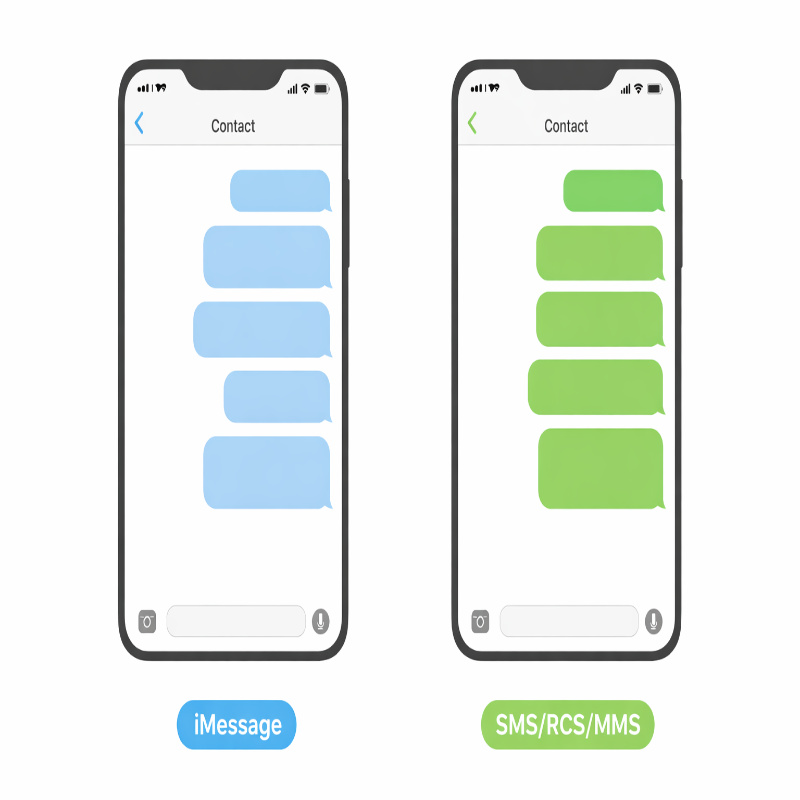
The fastest diagnosis: check the bubble color first
Before anything else, look at the message bubble. I know that sounds almost too simple, but it’s the quickest way to rule out half the problem.
If the message is blue
A blue bubble usually means it was sent as iMessage. That gives you a chance to use Undo Send, but only if the timing and software requirements are met.
If the message is green
A green bubble means the message was sent using RCS or MMS/SMS instead of iMessage. Apple is clear about this, and it’s one of the biggest reasons people think the feature is broken when it really isn’t available in that conversation at all.
In that case, there is no true Apple “delete for both sides” option for that message. You can remove it from your own phone, but not from the recipient’s device. If that is the situation you’re in, the more useful read is can you delete SMS/RCS texts on iPhone for both sides?
because that article gets into the practical alternatives.
Reason #1: You missed the 2-minute window
This is probably the most common problem, and maybe the most annoying one too. Apple says you can unsend a recently sent iMessage for up to 2 minutes after sending it. After that, the Undo Send option is no longer available.
So if you sent something, got distracted, came back three or four minutes later, and then tried to remove it, the issue is not a glitch. It’s just outside Apple’s time limit.
What to do if the time window has passed
- Delete the message from your own iPhone if you want it removed locally.
- Send a correction if the content was unclear or sent by mistake.
- Ask the recipient to delete it if it’s sensitive.
- Use iMessage carefully going forward, since Undo Send only helps if you catch the mistake almost immediately.
This part is easy to resent a little, honestly. Two minutes feels generous when you don’t need it and wildly short when you do.
Reason #2: The message was not sent as iMessage
You might think you sent an iMessage, but the phone may have sent it as SMS, MMS, or RCS instead. This can happen if the other person does not use an Apple device, if iMessage is turned off on either phone, if iMessage is temporarily unavailable, or if your settings changed after switching devices.
That is why a conversation can suddenly shift from blue to green even when you were not expecting it. Apple also notes that green bubbles appear when messages are sent with RCS or MMS/SMS instead of iMessage.
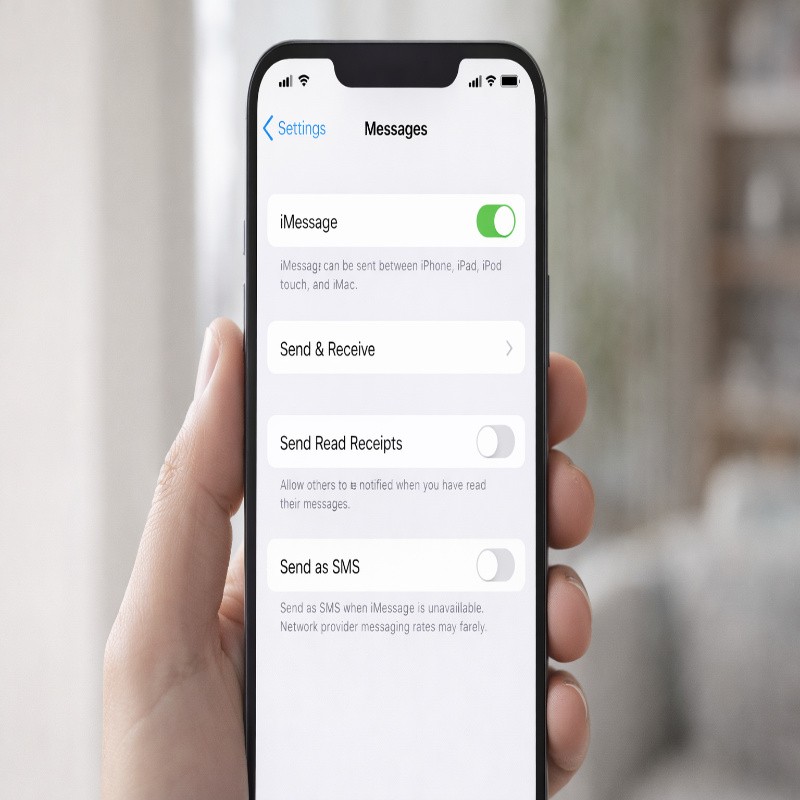
How to check if iMessage is turned on
- Open Settings.
- Tap Apps.
- Tap Messages.
- Make sure iMessage is turned on.
If iMessage is off, or if the message already went out as green, you won’t get true “both sides” deletion for that message. It isn’t ideal, but it is predictable once you know what to look for.
Reason #3: The recipient is on older software
This is the problem that feels most unfair because it can make it look like Undo Send failed even when you technically used it correctly. Apple says that to unsend or edit messages, you must be using iMessage with iOS 16, iPadOS 16.1, macOS 13, visionOS 1, or later.
And here’s the catch: if you unsend a message to someone who is using an earlier operating system, the original message remains in the conversation and you’re notified that the recipient may still see it. So yes, the feature can work on your end and still not fully remove the message on theirs.
Signs this is the problem
- You successfully tapped Undo Send.
- You saw the confirmation note in the conversation.
- The recipient still says they can see the original message.
- You’re messaging someone who may not update their device often.
That last one sounds a bit judgmental, maybe, but it’s realistic. Plenty of people postpone updates for months. If the recipient uses older software, compatibility becomes the weak point.
Reason #4: You are pressing the wrong message or the wrong area
This one is more basic, but it still happens. To unsend, you need to touch and hold the specific message bubble. If you tap too quickly, open the thread normally, or miss the bubble itself, you may not trigger the action menu you’re expecting.
It sounds obvious written down like this, but in a hurry people do strange things. Especially if they are mildly panicking, which is sort of the whole theme here.
The correct steps
- Open the Messages app.
- Select the conversation.
- Touch and hold the exact message bubble.
- Tap Undo Send.
If you don’t see Undo Send after doing that, the issue is almost certainly timing, message type, or compatibility—not finger technique.
Reason #5: You are confusing unsend, edit, and local delete
This mix-up happens all the time. People say “delete,” but they might actually mean “unsend,” or they delete the message from their phone and expect it to vanish from the other person’s chat too.
On iPhone, those are different actions:
- Undo Send removes a recent iMessage from both conversation transcripts when supported.
- Edit changes a recent iMessage, but it remains visible as edited and can show version history.
- Delete removes the message from your own device only.
Apple says you can edit a recently sent message up to five times within 15 minutes. The message is marked as Edited, and both people can tap that label to see previous versions.
If you’re stuck between “Should I unsend this?” and “Should I just edit it?” then the related guide on unsend vs edit in iMessage on iPhone
is worth reading next. The difference sounds small, but in practice it changes what the other person sees.
Reason #6: iMessage is temporarily unavailable
Apple notes that messages can appear green if iMessage is temporarily unavailable on your device or your recipient’s device. That means even if both of you normally use iPhones, a specific message might still go out as a non-iMessage message if the service is unavailable at that moment.
This is one of those situations that makes users feel like the phone changed the rules mid-conversation. In a way, it did—but not randomly. The delivery method changed, which changed what actions were possible afterward.
What to try
- Check whether the message bubble is blue or green.
- Confirm that iMessage is enabled in Settings.
- Try sending a new message once the connection and service are stable.
- Do not assume a previous iMessage conversation means every message in that thread will always remain iMessage.
Reason #7: You are in a mixed conversation and expecting consistent behavior
Group chats can be messy. Different devices, different operating systems, different message types—it all adds a layer of inconsistency that can make Undo Send feel unreliable even when the rules are technically working as designed.
Apple says SMS, MMS, or RCS messages can’t be edited or unsent, although SMS, MMS, or RCS messages can be edited in a group conversation as long as there’s at least one other iMessage user in the group. That exception is specific enough that it can easily confuse readers, and honestly, I think it confuses plenty of users too.
What this means in real life
- A group thread may not behave exactly like a one-to-one iMessage chat.
- Some actions may be available in one chat and missing in another.
- Software versions across participants can affect what each person sees.
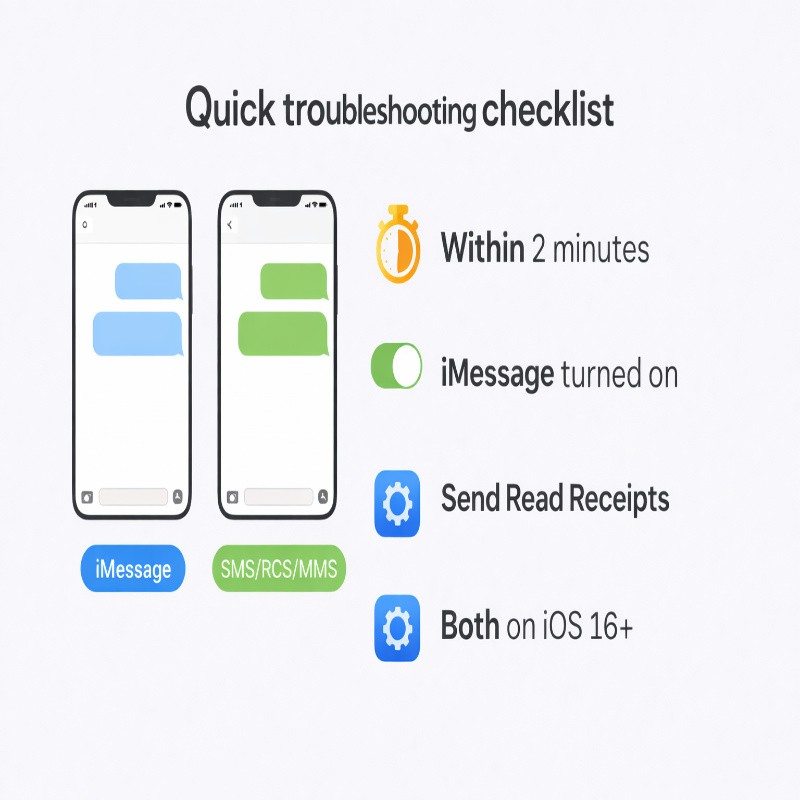
Quick troubleshooting checklist
If you want the shortest possible answer, run through this list before doing anything else:
- Check whether the bubble is blue or green.
- Make sure no more than 2 minutes have passed.
- Touch and hold the exact message bubble.
- Confirm that iMessage is turned on in Settings.
- Consider whether the recipient might be using older software.
- Remember that deleting from your phone is not the same as unsending.
If you work through those six checks, you’ll usually find the problem pretty quickly. Not always, but usually.
What to do when it really cannot be fixed
Sometimes the honest answer is that the message is already out there and Apple’s built-in tools cannot pull it back. That can happen because the time limit expired, the message was green, or the recipient’s device does not support the feature properly.
In that situation, the best options are less technical and more practical:
- Send a calm correction.
- Clarify context if the message was misunderstood.
- Ask the person to delete the message if privacy is a concern.
- Review your notification and messaging settings so future mistakes are less exposed.
- Use iMessage intentionally when messaging another Apple user, since that gives you access to Undo Send.
None of those options is as satisfying as making the message vanish. Still, they’re usually more useful than wasting time looking for a hidden button that isn’t coming back.
FAQ
Why is there no Undo Send option on my iPhone?
The most likely reasons are that the message was sent as green-bubble RCS/MMS/SMS, more than 2 minutes have passed, or the conversation is not using iMessage in a supported way.
Why did I unsend a message but the other person still saw it?
Apple says the original message can remain visible if the recipient is using an earlier operating system. In that case, you may get a notice saying they might still see the original.
Can I delete green messages for both sides?
No, not through Apple’s built-in unsend feature. Green messages are RCS or MMS/SMS rather than iMessage, so they do not support true “both sides” deletion in the same way.
Does deleting a message from my iPhone remove it from theirs?
No. Local deletion removes the message from your device only. To remove it from both sides, it must be a recent iMessage and you must use Undo Send within the supported window.
Conclusion
If you searched for delete text messages on iPhone for both sides not working, the real answer is usually not that your iPhone is broken. It’s that one of Apple’s rules is getting in the way: the message is green, the two-minute window has passed, iMessage is off, or the recipient’s software is too old for the feature to fully work.
Once you know that, the whole thing gets less mysterious. Still a little annoying, perhaps, but less mysterious. And if you need the broader explanation behind the feature itself, go back to the guide on how to delete text messages on iphone for both sides for the full picture.

More Stories
Best Budget Mechanical Keyboards in 2026: What to Buy (and What to Avoid)
Vimeo to MP3 Converter: Best Tools That Actually Work (Free & Online)
How to Combine Videos on iPhone