
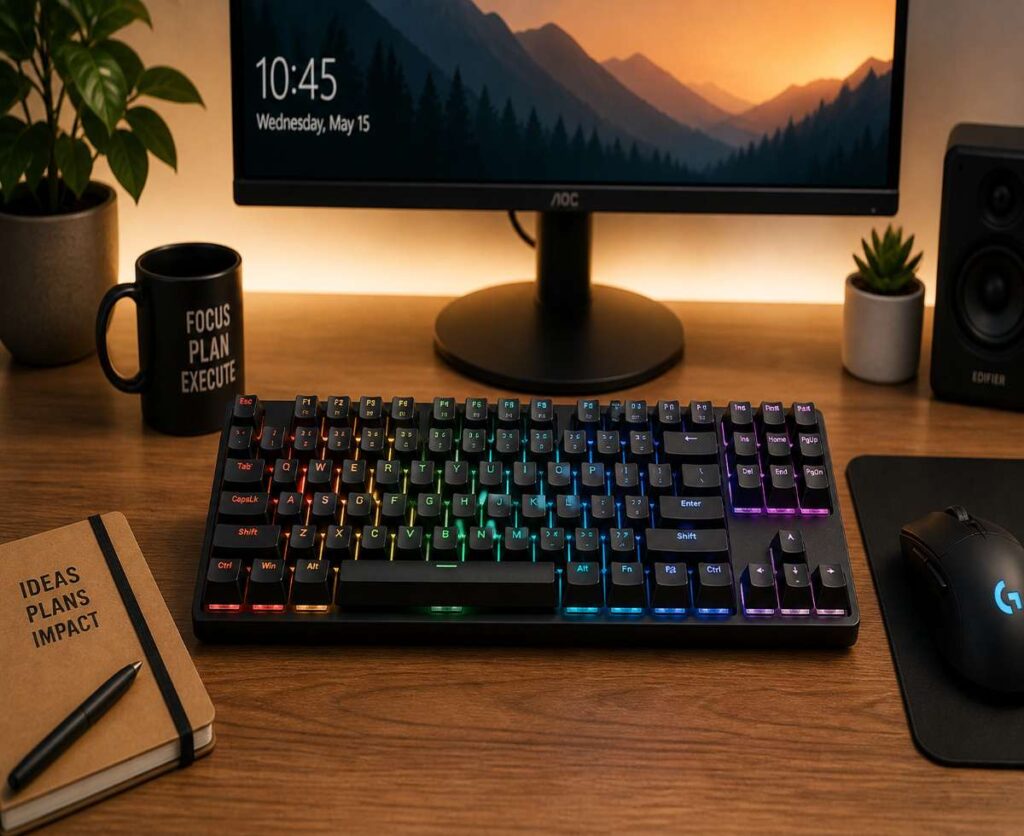
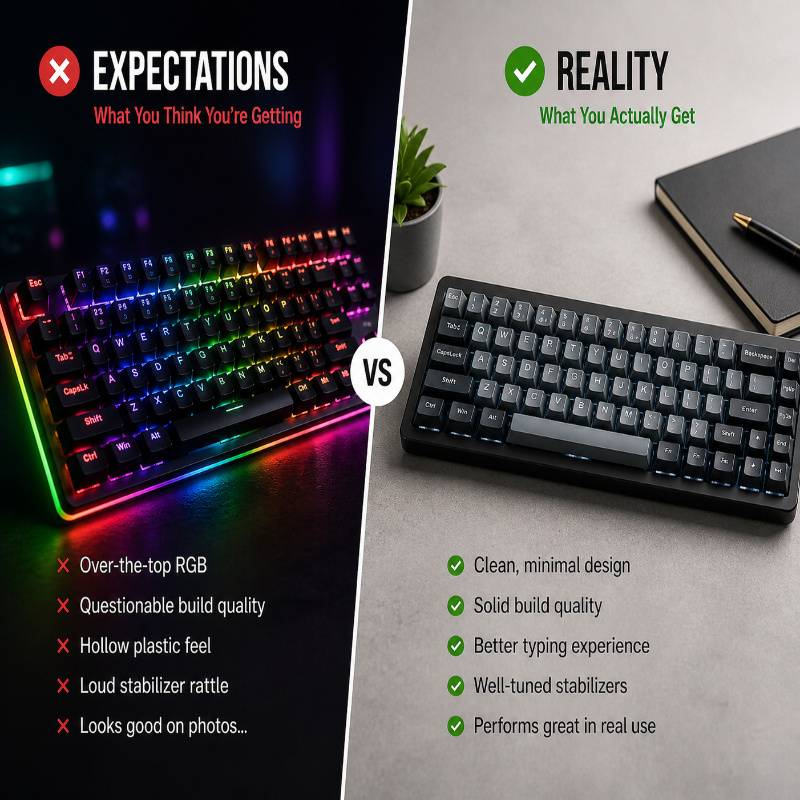
There was a time when buying a budget mechanical keyboard felt like a gamble. You’d save money, sure—but in return, you got rattly keys, hollow plastic builds, and switches that felt like they were arguing with your fingers.
That version of the budget market is fading fast.
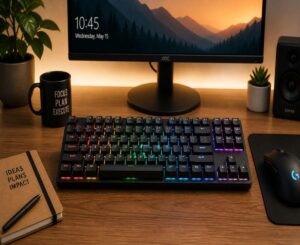
In 2026, budget mechanical keyboards have quietly become one of the most competitive—and confusing—categories in tech. Features that were once reserved for premium boards—hot-swappable switches, wireless connectivity, decent stabilizers—have trickled down into surprisingly affordable options.
And that’s exactly the problem.
Because now, instead of choosing between “bad” and “good,” you’re choosing between dozens of keyboards that all look good on paper—but don’t always deliver in real use.
This guide isn’t here to overwhelm you with specs. It’s here to filter the noise.
We’ll break down what actually matters, what to ignore, and which budget mechanical keyboards are genuinely worth your money in 2026—without pretending that every RGB-lit slab of plastic is a “must-buy.”
What “Budget” Means in 2026 (A Quick Reality Check)
Let’s define the battlefield first.
In 2026, a budget mechanical keyboard typically falls somewhere between ₹2,500 and ₹8,000. That’s a wide range—and the difference between the lower and upper end is very real.
At the lower end, you’re getting the essentials. At the higher end, you’re getting something that starts to blur the line between budget and mid-range.
Here’s what you can realistically expect today:
- Genuinely satisfying typing experience (yes, even at lower prices)
- Decent build quality, usually plastic but sometimes reinforced with a metal plate
- RGB lighting (often more than you actually need)
- Hot-swappable switches in many models
- Wireless support in select options
Now, here’s what you should not expect—no matter how flashy the product page looks:
- Perfect stabilizers out of the box (rattle still exists, just less of it)
- Premium acoustic tuning (no, it won’t sound like a custom keyboard build)
- High-end materials like full aluminum bodies
This is where most people go wrong—they expect premium performance at entry-level pricing. Budget keyboards have improved, but they haven’t rewritten physics.
Think of them as smart compromises, not miracle products.
How to Choose the Right Budget Mechanical Keyboard
This is the part most guides rush through. We’re not going to.
Because if you don’t understand these basics, even the “best” keyboard can end up feeling completely wrong for you.
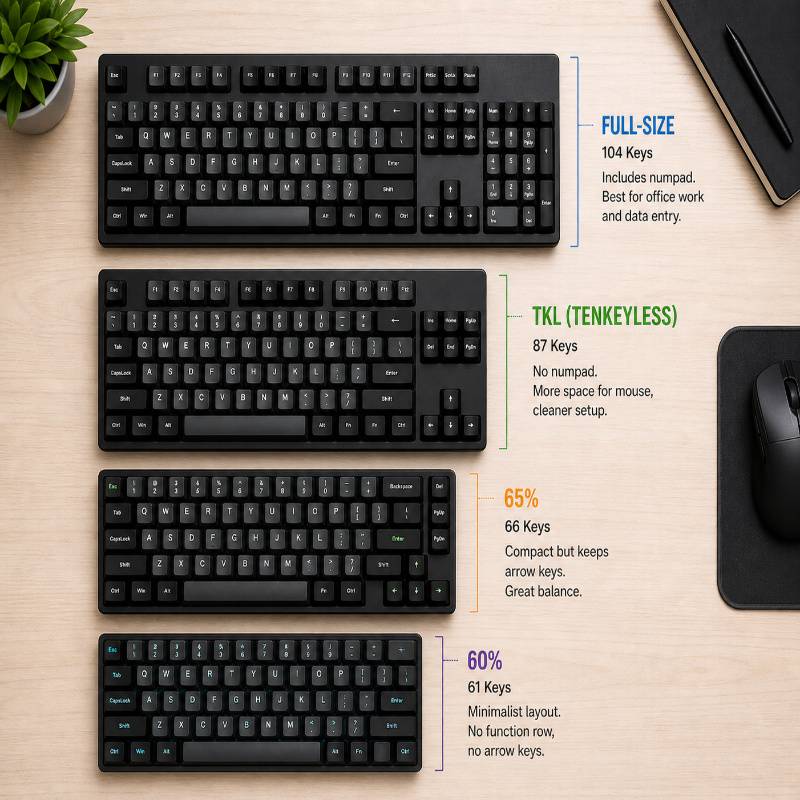
Size Matters More Than You Think
Keyboard size isn’t just about aesthetics—it directly affects how you use your setup every day.
- Full-size: Includes numpad. Best for office work, data entry, and people who like familiarity.
- TKL (Tenkeyless): Drops the numpad. More space for your mouse, cleaner layout.
- 65%: Compact but still keeps arrow keys. A sweet spot for many users.
- 60%: Minimalist. No function row, no arrow cluster—everything is layered.
If you’re unsure, don’t overthink it: 65% or TKL is where most people land comfortably.
Switch Types (Don’t Overcomplicate This)
Switch discussions can get weirdly intense. Let’s simplify it.
- Linear (Red): Smooth and quiet. Great for gaming.
- Tactile (Brown): Noticeable bump. Balanced for typing and general use.
- Clicky (Blue): Loud and sharp. Fun for some, unbearable for others.
If this is your first mechanical keyboard, start with Red or Brown. You can experiment later—especially if your keyboard is hot-swappable.
Wired vs Wireless
Wireless keyboards have improved a lot—but they’re not perfect in the budget space.
- Wired: Reliable, no latency concerns, no charging
- Wireless (Bluetooth/2.4GHz): Cleaner setup, more flexible—but battery life and latency vary
If you’re gaming seriously, wired is still the safer choice. For casual use, wireless is finally worth considering.
Build Quality & Materials
Most budget keyboards are plastic—and that’s fine.
What matters more is:
- How solid the board feels (flex vs rigidity)
- Whether it uses a metal plate for reinforcement
- Overall weight and stability on the desk
A well-built plastic keyboard will always beat a poorly executed “metal” one.
Hot-Swappable vs Soldered
This is one of the biggest upgrades in the budget segment.
Hot-swappable keyboards let you change switches without soldering. That means:
- You can experiment with different switch types
- You can replace faulty switches easily
- You’re not locked into one typing experience forever
If your budget allows it, always choose hot-swappable. It adds flexibility that you’ll appreciate later—even if you don’t care about it right now.
Best Budget Mechanical Keyboards in 2026
This is where things usually go off the rails in most guides—endless lists, recycled specs, and zero real insight.
We’re not doing that.
Instead, these are carefully selected keyboards that actually make sense in 2026—based on real usability, value, and how they feel to live with daily.
Best Overall Value: Keychron K2 (Hot-Swappable Version)
If there’s one keyboard that consistently punches above its price, it’s the Keychron K2. It’s not flashy. It’s not trying too hard. It just gets a lot of things right.
You get a compact 75% layout, solid wireless performance, Mac and Windows compatibility, and—most importantly—a typing experience that doesn’t feel like a compromise.
The hot-swappable version makes it even more appealing. You’re not stuck with one switch type, which is rare at this price point.
Why it stands out:
- Balanced feature set without obvious weaknesses
- Reliable wireless + wired dual mode
- Comfortable layout for both work and casual use
What to keep in mind:
- Slightly tall design (you may want a wrist rest)
- Stock stabilizers are decent, not perfect
Who it’s for: Anyone who wants a safe, high-value choice without overthinking every detail.
Best for Beginners: Redragon K552 / K617
Redragon has quietly become the entry point for a lot of mechanical keyboard users—and for good reason.
The K552 (TKL) and K617 (60%) are simple, affordable, and surprisingly reliable for the price. They don’t pretend to be premium—and that honesty works in their favor.
You get a straightforward typing experience, decent build quality, and zero setup headaches.
Why it stands out:
- Extremely affordable without feeling completely disposable
- Plug-and-play simplicity
- Widely available and beginner-friendly
What to keep in mind:
- Switch quality is basic (gets the job done, nothing more)
- Limited customization compared to newer competitors
Who it’s for: First-time buyers who just want to experience mechanical keyboards without committing too much money.
Best Compact (60% / 65%): RK61 / RK68 (Royal Kludge)
Compact keyboards used to feel like a compromise. Now, they feel intentional.
The RK61 and RK68 from Royal Kludge are some of the most accessible compact options that don’t feel like a downgrade.
The RK61 is aggressively minimal. The RK68 adds arrow keys, which—let’s be honest—most people end up missing.
Why it stands out:
- Compact footprint without completely sacrificing usability
- Wireless + wired flexibility
- Hot-swappable variants available
What to keep in mind:
- Learning curve if you’re coming from full-size keyboards
- Software experience is… not great
Who it’s for: Minimal desk setups, students, or anyone who values space more than extra keys.
Best Wireless Budget Option: Keychron K6 / RK84
Wireless mechanical keyboards used to be a luxury. Now, they’re surprisingly common—even in the budget space.
The Keychron K6 and RK84 are two of the more reliable options that don’t feel like a connectivity experiment.
Both offer Bluetooth, solid battery life, and layouts that balance compactness with usability.
Why it stands out:
- Stable wireless performance (which is not guaranteed in this price range)
- Multi-device pairing for switching between laptop, tablet, etc.
- Good everyday usability
What to keep in mind:
- Latency isn’t ideal for competitive gaming
- Battery life varies depending on RGB usage
Who it’s for: Clean desk lovers and multi-device users who prioritize convenience over absolute performance.
Best for Typing Experience: CIY Tester68 + Budget Switches
This is where things get interesting.
The CIY Tester68 isn’t a traditional “buy-and-use” keyboard. It’s more of a budget enthusiast entry point.
You pair it with your own switches and keycaps—and suddenly, you’re getting a typing experience that feels far more expensive than it should.
Why it stands out:
- Shockingly good acoustics for the price
- Fully customizable setup
- Excellent value if you’re willing to experiment
What to keep in mind:
- Requires extra effort (switches + keycaps not included)
- Not beginner-friendly if you want plug-and-play
Who it’s for: People who care about how a keyboard sounds and feels, not just how it looks.
Best for Gaming: Redragon K617 Fizz / Cosmic Byte CB-GK-18
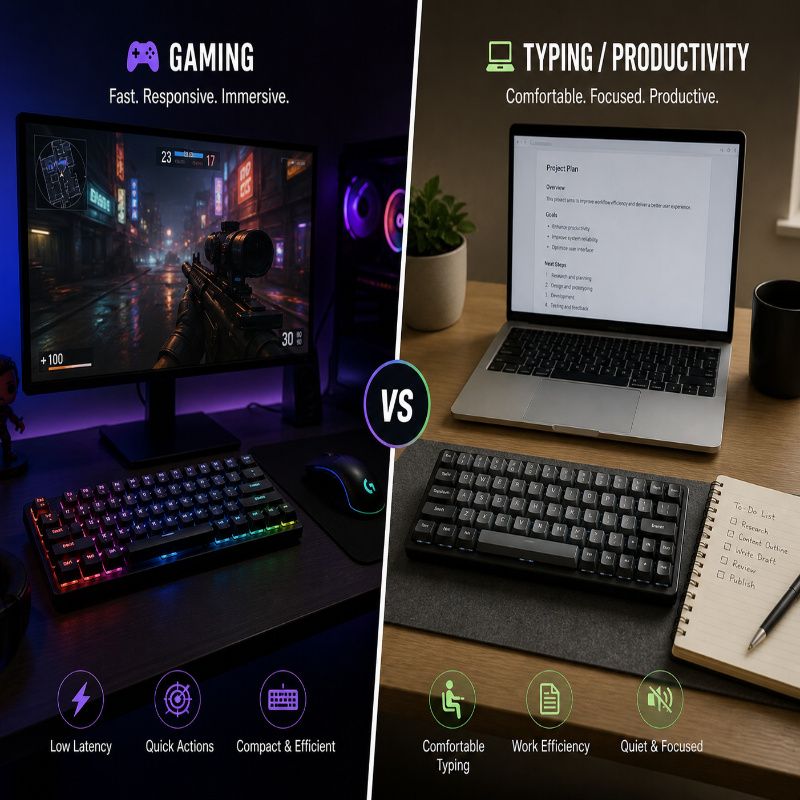
Gaming keyboards at the budget level tend to overcompensate with RGB and branding. The good ones focus on responsiveness first.
The Redragon K617 Fizz and Cosmic Byte CB-GK-18 keep things simple: fast linear switches, compact layouts, and minimal distractions.
Why it stands out:
- Responsive switches suited for fast inputs
- Lightweight and compact for gaming setups
- Affordable without feeling unreliable
What to keep in mind:
- Typing experience is secondary here
- Build quality is good—but not premium
Who it’s for: Casual to intermediate gamers who want performance without spending on high-end gaming brands.
What to Avoid (This Is Where Most People Mess Up)
Here’s the uncomfortable truth: most disappointment with budget mechanical keyboards isn’t because the category is bad—it’s because people buy the wrong things for the wrong reasons.
This is the part where a little skepticism will save you money.
“Too Cheap to Be True” Keyboards
If a keyboard is aggressively cheap and aggressively flashy, there’s usually a catch.
We’re talking about boards packed with RGB effects, bold claims, and zero real substance underneath. They look impressive in product photos—but the moment you start typing, the illusion falls apart.
- Hollow, plasticky sound
- Wobbly keys
- Inconsistent switch feel
Saving ₹500–₹800 upfront isn’t worth months of annoyance. Budget doesn’t mean bottom-of-the-barrel.
Fake (or Misleading) Hot-Swappable Claims
“Hot-swappable” has become a marketing buzzword—and not always an honest one.
Some keyboards technically support switch swapping, but only with specific switch types, or worse, use cheap sockets that wear out quickly.
What you want:
- Compatibility with standard 3-pin or 5-pin switches
- Reputable socket types (not fragile, no-name implementations)
If the product page is vague about compatibility, assume limitations exist.
Overhyped RGB, Underwhelming Everything Else
RGB is not a feature. It’s decoration.
And yet, many budget keyboards lean heavily on lighting to distract from mediocre fundamentals.
A keyboard that looks great in the dark but feels bad in actual use is a bad keyboard—no matter how many lighting modes it has.
Always prioritize:
- Switch quality
- Stabilizers
- Build consistency
Everything else is secondary.
Unknown Brands With No Support
This is the hidden risk most people ignore.
That ultra-cheap keyboard from a brand you’ve never heard of? It might work fine—for a while. But if something goes wrong, you’re on your own.
- No firmware updates
- No replacement parts
- No real warranty support
Stick with brands that at least have some track record—even in the budget space. Reliability matters more than novelty.
Budget vs Mid-Range: When Should You Spend More?
Budget keyboards have improved—but they haven’t eliminated the need for mid-range options.
At some point, spending more stops being about features and starts being about refinement.
You should consider stretching your budget if:
- You care about sound profile (deeper, cleaner acoustics)
- You want better stabilizers out of the box
- You plan to use the keyboard for years, not months
- You’re interested in customization and modding
The difference isn’t always obvious in specs—but it’s very obvious in daily use.
That said, if your needs are simple, a well-chosen budget keyboard will still get you 80–90% of the experience for a fraction of the price.
Quick Buying Checklist
If you don’t want to overthink everything, use this:
- ✔ Choose a size that fits your desk and usage (TKL or 65% is safest)
- ✔ Start with Red or Brown switches if unsure
- ✔ Prefer hot-swappable for flexibility
- ✔ Decide between wired (reliable) or wireless (convenient)
- ✔ Stick to brands with at least basic credibility
If a keyboard checks these boxes, you’re already ahead of most buyers.
Final Verdict
Budget mechanical keyboards in 2026 are no longer “entry-level compromises.” They’re legitimate options that can deliver a genuinely satisfying experience—if you choose wisely.
But that’s the key word: wisely.
Because while the category has improved, the noise has increased with it. Flashy features, confusing specs, and endless options make it easy to pick something that looks good—but feels wrong.
The best approach isn’t to chase specs. It’s to understand your own usage:
- Typing vs gaming
- Compact vs full layout
- Convenience vs performance
Get those decisions right, and even a budget keyboard can feel surprisingly close to premium.
Get them wrong, and no amount of RGB will save the experience.
Choose smart—and your fingers will notice the difference every single day.



More Stories
Vimeo to MP3 Converter: Best Tools That Actually Work (Free & Online)
How to Combine Videos on iPhone
No-SIM Telegram signup with Fragment anonymous numbers