
Before You Start: Quick Safety Notes
It’s tempting to skip this and jump straight into assembly. Still, a quick safety scan can prevent the annoying stuff (blown fuses, fried control boxes, pinched wires) and the serious stuff (electric shock risk, crushed fingers).
- Unplug before handling cables. Do not connect or disconnect motor cables while the control box is powered.
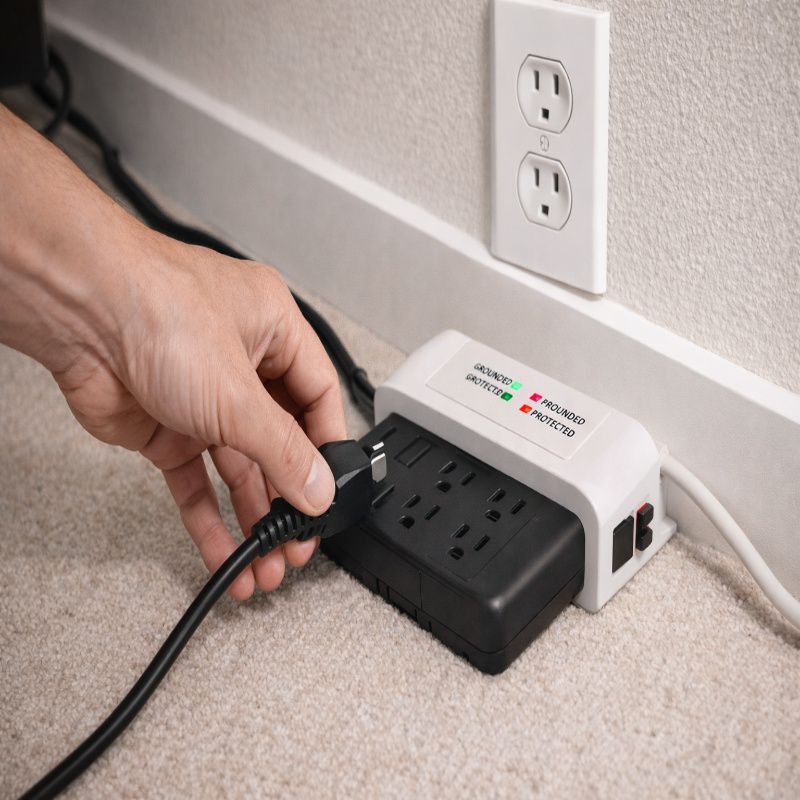
- Use a grounded outlet. Many adjustable bed manuals and troubleshooting pages specifically emphasize plugging into a working, grounded electrical outlet (or a surge protector connected to a grounded outlet). This matters for both safety and proper function.
- Keep kids and pets away during testing. The base can move suddenly when power is restored or when a remote pairs.
- Do not place objects under the base. Boxes, shoes, storage bins—those are basically “future grinding noise generators.”
If you’re unsure about surge protection and grounding, it’s worth reviewing a manufacturer manual that explicitly warns to plug into a grounded outlet or surge protector. For example, Room & Board’s adjustable base manual includes clear grounding/surge guidance.
Tools and What to Unbox First
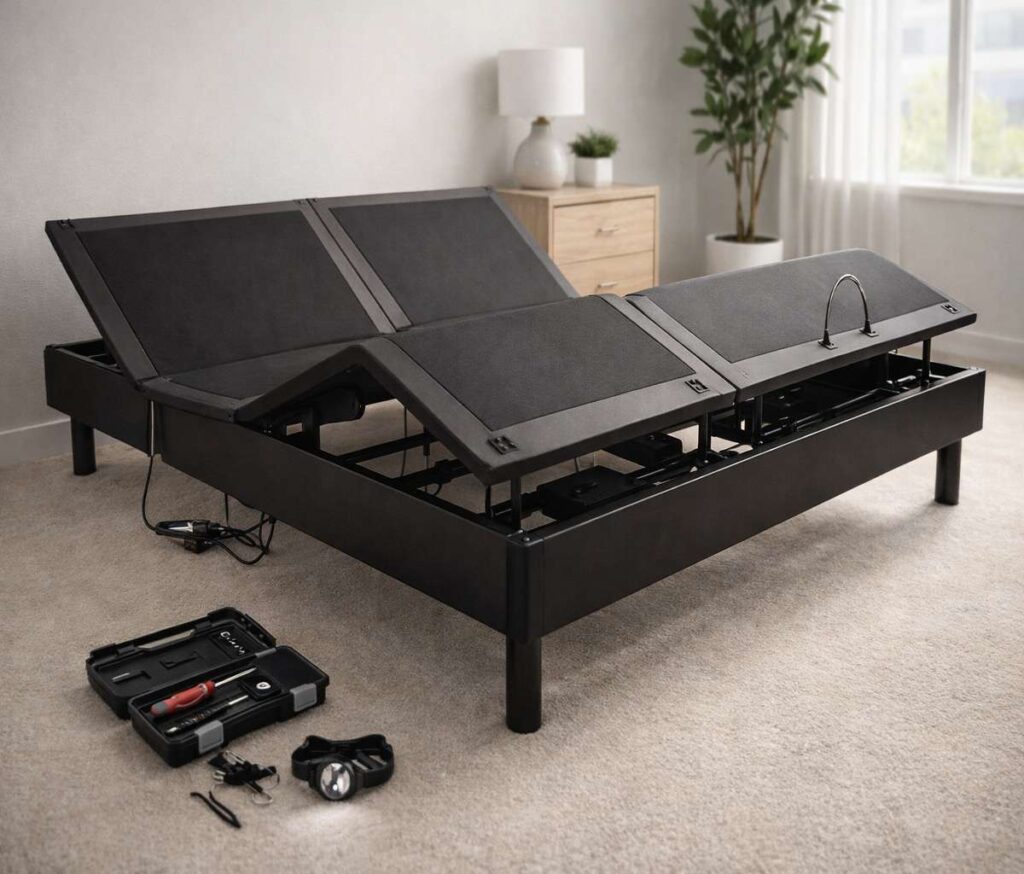
Most FOK959S-M bed setups don’t require fancy tools, but having the basics ready helps you avoid stopping halfway through.
- Phillips screwdriver (or a drill with a clutch set low)
- Adjustable wrench (sometimes)
- Flashlight or headlamp (for under-bed connections)
- Cable ties (optional, but you’ll appreciate them later)
- A second person for lifting and flipping the base
Unbox in this order (it keeps parts organized and reduces mistakes):
- Base/frame sections
- Legs/feet hardware
- Control box + power supply
- Motors/actuators (if separate)
- Remote + batteries
- Any accessories (lights, USB modules, massage units)
FOK959S-M Installation: Step-by-Step
Exact details vary by variant (single motor, dual motor, split king, etc.), but the overall flow is pretty consistent.
Step 1: Choose the placement
- Leave a little clearance behind the head section, especially if your base isn’t “wall-hugger.”
- Confirm your outlet is close enough that the power cord isn’t stretched or pinched.
- If you’re doing a split setup, make sure both sides can plug in safely without daisy-chaining cheap extension cords.
Step 2: Attach legs and stabilizers
Install the legs/feet while the base is still upside down. Tighten securely, but don’t over-torque. I’ve seen people strip threads on day one and then blame the bed.
Step 3: Connect motors to the control box
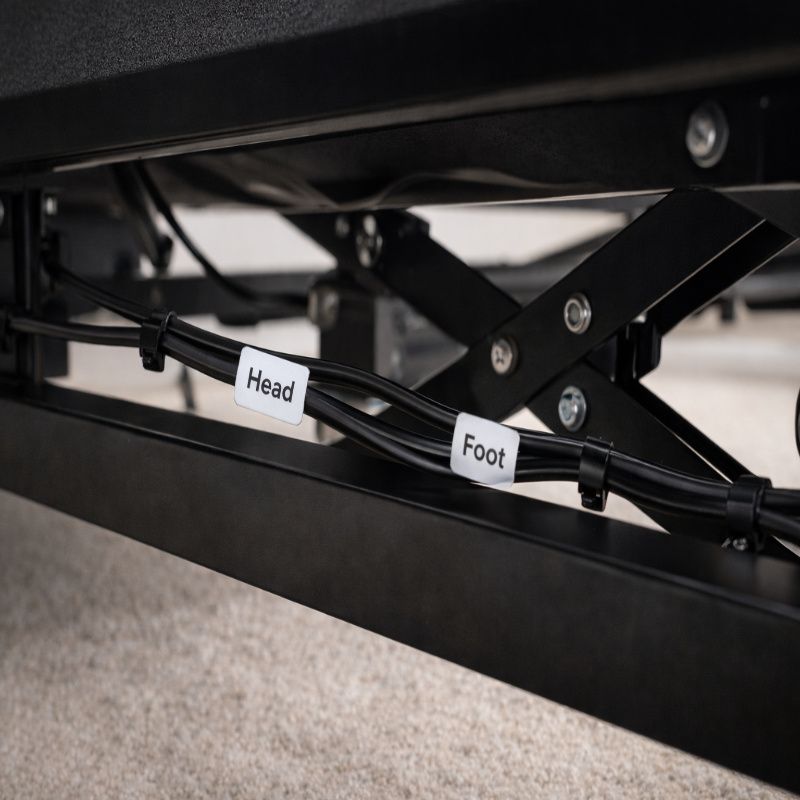
Most bases have motor cables labeled (head, foot, lumbar, massage, etc.). Connect each cable firmly until it clicks or seats fully. Loose cables cause half the “dead bed” support tickets on the internet.
Step 4: Route cables (don’t skip this)
- Keep cables away from hinges, scissor mechanisms, and moving lift arms.
- Give each cable enough slack for full range of motion.
- Use provided clips or cable ties so nothing dangles.
Step 5: Flip the base and do the first power test
Flip the base upright carefully. Plug into a grounded outlet (or surge protector connected to a grounded outlet), then test basic movement before placing the mattress on top.
First-Time Setup Checklist (Avoid Common Mistakes)
- Remote batteries installed? It sounds obvious, but dead batteries cause “it’s broken” panic.
- Power supply LED on? If there’s no indicator light, start troubleshooting power first.
- Any shipping locks removed? Some bases ship with protective brackets or foam blocks.
- Mattress compatibility: Foam/latex/hybrid works best. Very stiff innersprings can fight the motors.
- Listen for normal motor sound: A steady hum is normal. Grinding, clicking, or popping is not.
Troubleshooting: Quick Fix Flow
When something goes wrong, it helps to troubleshoot in the right order. Most problems are power, remote sync, or loose connections. Start simple, then escalate.
Problem: The bed won’t move at all
- Verify the outlet works by plugging in another device (lamp/charger). Some manufacturers explicitly recommend this test in their troubleshooting steps (e.g., BedTech).
- Check that the power cord is fully seated in the control box/power supply (not halfway in).
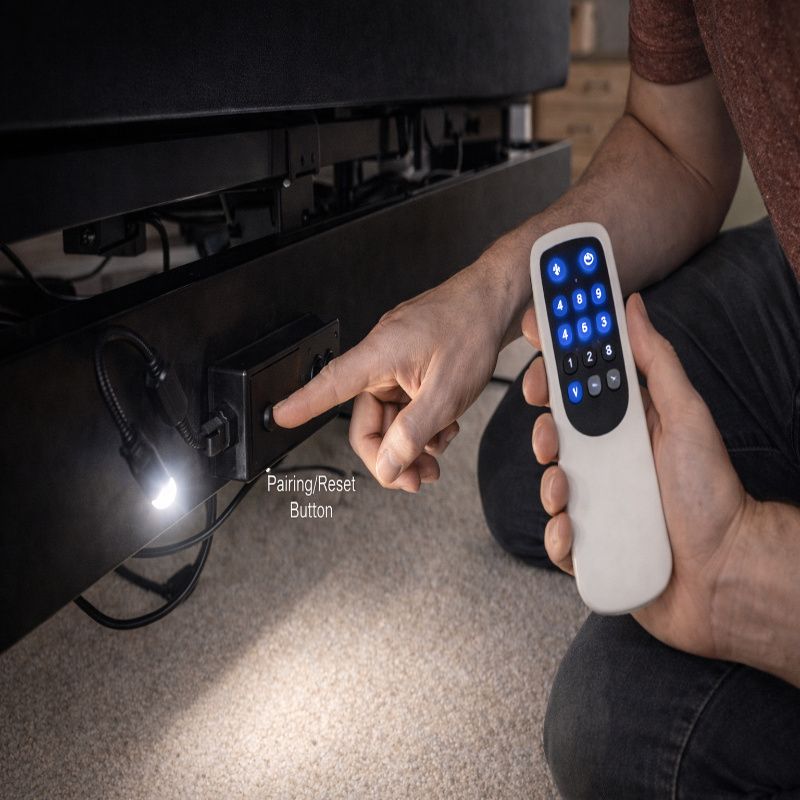
- Look for a reset button on the control box (if present) and follow your manual’s reset procedure.
- Unplug the base for 60 seconds, then plug back in (a simple power-cycle fixes odd controller states).
Problem: Remote lights up, but nothing happens
- Replace the batteries (even if the remote lights up—weak batteries can still cause pairing failures).
- Try re-syncing/re-pairing the remote to the receiver (pairing steps vary, but usually involve holding a button on the control box + a remote combo).
- Check for signal interference: metal nightstands, thick walls, or other RF devices close to the receiver can reduce range.
- If you need general adjustable bed remote troubleshooting patterns, this guide is a solid reference.
Problem: Only one section works (head works, foot doesn’t)
- Check the motor cable connection for the section that isn’t moving.
- Look for a pinched cable under a hinge or bracket.
- If safe and accessible, swap the motor plugs at the control box (head motor plug vs foot motor plug). If the problem follows the plug, it’s likely the motor. If it stays, it’s likely the control channel.
Problem: The bed is noisy (clicking, grinding, popping)
- Confirm all bolts and leg connections are tight.
- Remove anything touching the frame (bed skirt hardware, wall contact, loose décor under the bed).
- Check for cable contact: sometimes a wire is rubbing a moving arm and sounds like a mechanical failure.
- Stop using it if the sound is harsh or sudden—continuing can damage gears or actuators.
Problem: The bed stops mid-move
- Some systems have overload protection; too much resistance can trigger a stop.
- Make sure the mattress isn’t jammed against a headboard/footboard.
- Confirm weight limits aren’t exceeded (mattress + users + accessories).
- Power-cycle the unit and try again with no load (no one on the bed) to isolate load-related issues.
Wi-Fi/App Issues (If Your Variant Supports It)
If your FOK959S-M setup includes a smartphone app, most “it won’t connect” issues come down to Wi-Fi basics: band compatibility, weak signal, or permissions.
- Use 2.4GHz Wi-Fi if the device doesn’t support 5GHz (many smart home devices still don’t).
- Move the router or add a mesh node if your bedroom signal is weak.
- Check app permissions (Bluetooth, local network access) on iOS/Android.
- Reboot the control box (unplug 60 seconds) and retry pairing.
If the app is optional and you’re getting frustrated, it’s okay to fall back to the remote. A lot of people do. It’s not a failure; it’s just choosing reliability over features.
Surge Protection and Grounding (Worth Doing Right)
Smart adjustable bases contain electronics that can be sensitive to voltage spikes. A surge protector can help, but it only works correctly if the outlet is properly grounded. Eaton/Tripp Lite explains that surge protectors require a functional ground connection to divert excess voltage safely.
Practical tips:
- Use a reputable surge protector (not a $3 strip).
- Don’t plug a surge protector into an ungrounded adapter.
- If you suspect your outlet isn’t grounded, have a qualified electrician check it.
Maintenance: Keep It Quiet and Reliable
Most people never maintain an adjustable base until something breaks. But small habits prevent bigger problems.
- Monthly: Quick check for loose bolts, cable droop, and junk under the frame.
- Every 3-6 months: Vacuum under the bed; dust buildup can affect moving parts and cooling vents.
- Annually: Run the bed through full range of motion and listen for new sounds.
- After moving homes: Re-check all connections; transport vibrations loosen things.
When to Call Support (And What to Prepare)
Sometimes, troubleshooting hits a wall. If you see sparks, smell burning, or the control box gets hot, stop and call support immediately.
Before contacting support, gather:
- Your exact model number and any suffix (use: find FOK959S-M model number)
- Serial number (usually on the same label)
- What works vs. what doesn’t (e.g., “head moves, foot doesn’t”)
- A short video of the issue (noise, stopping mid-move, remote not responding)
- What you already tried (power-cycle, swapped batteries, reseated cables)
This reduces the back-and-forth and usually speeds up replacement parts if you’re under warranty.
FAQ
Should the mattress be on the base during testing?
Initial testing is best without the mattress so you can see the frame move and confirm cables aren’t getting pinched. After that, test again with the mattress because weight and friction can change behavior.
Is it normal for the bed to make noise?
A low motor hum is normal. Sudden clicking, grinding, or metal-on-metal sounds are not. Those usually mean a loose bracket, obstruction, or misalignment.
Do I really need a surge protector?
It’s strongly recommended for most electronics-heavy bases. Just remember: a surge protector only offers proper protection when connected to a grounded outlet.
My remote stopped working after a power outage—now what?
Start with power-cycling the base, then replace remote batteries, then re-sync the remote. Remote de-sync after power events is a common adjustable-bed issue pattern.
Conclusion
A FOK959S-M model base is one of those purchases that feels like “set it and forget it”… until it doesn’t. The upside is that most installation and troubleshooting issues are fixable with basic checks: power, grounding, cable seating, and remote sync. If you take it step-by-step, you’ll usually get the bed working without needing a technician.
For deeper context around variants and what features to expect, circle back to the pillar: complete FOK959S-M model guide. And if you’re still shopping rather than installing, the buyer-focused breakdown in choosing the right FOK959S-M model can help you avoid paying for features you won’t use.



More Stories
Best Budget Mechanical Keyboards in 2026: What to Buy (and What to Avoid)
Vimeo to MP3 Converter: Best Tools That Actually Work (Free & Online)
How to Combine Videos on iPhone