
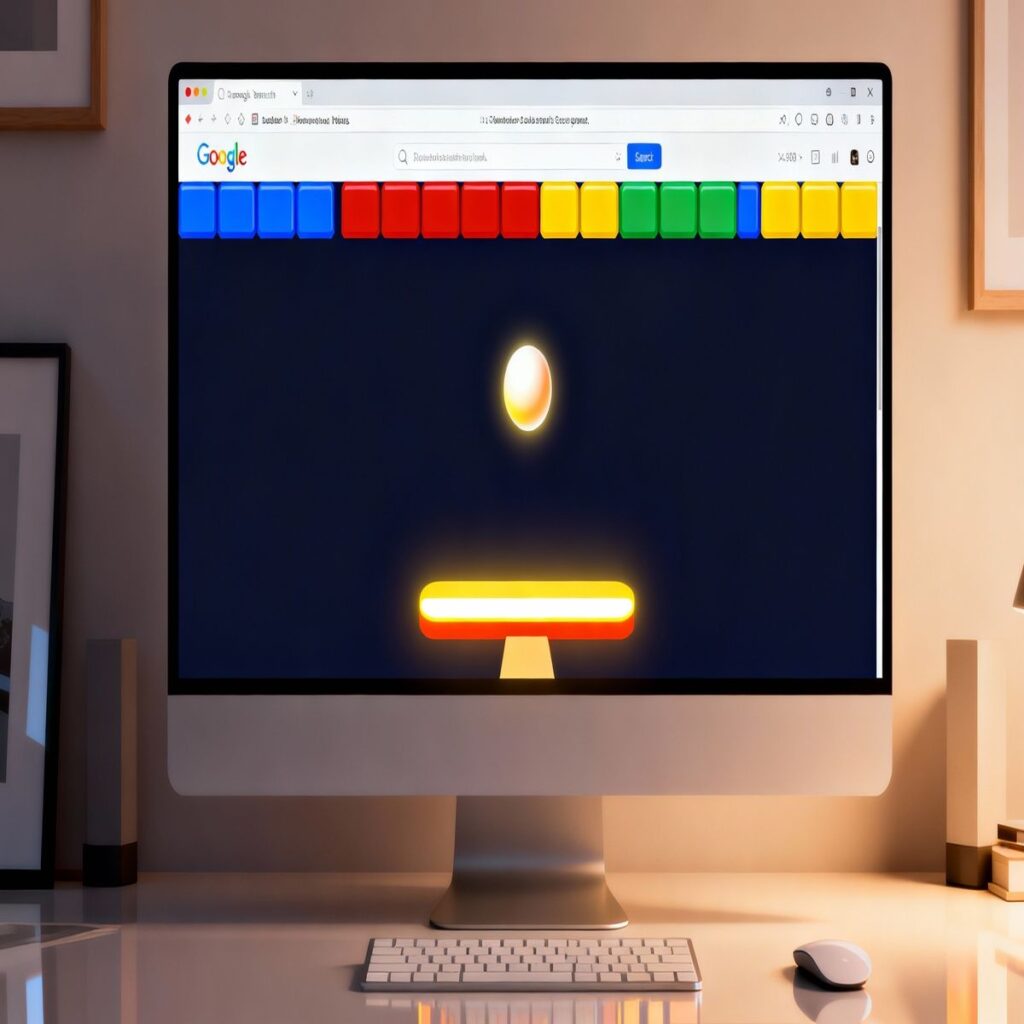
It feels like a small surprise inside the results page, part nostalgia, part distraction, and perhaps a little bit addictive once you start playing.
This pillar guide is designed to walk you through everything from how to launch the game to advanced strategies that help you survive longer and score higher.Think of this article as your practical companion: not just how the controls work, but how to actually get better, what to do when the game does not appear,
and how it connects to the classic Breakout style games many people grew up with.
The goal is to stay conversational and honest, so some sections will read more like a friend explaining things than a textbook definition.
What is the block breaker google game?
At its core, the block breaker game in Google is a simple browser‑based brick breaker.
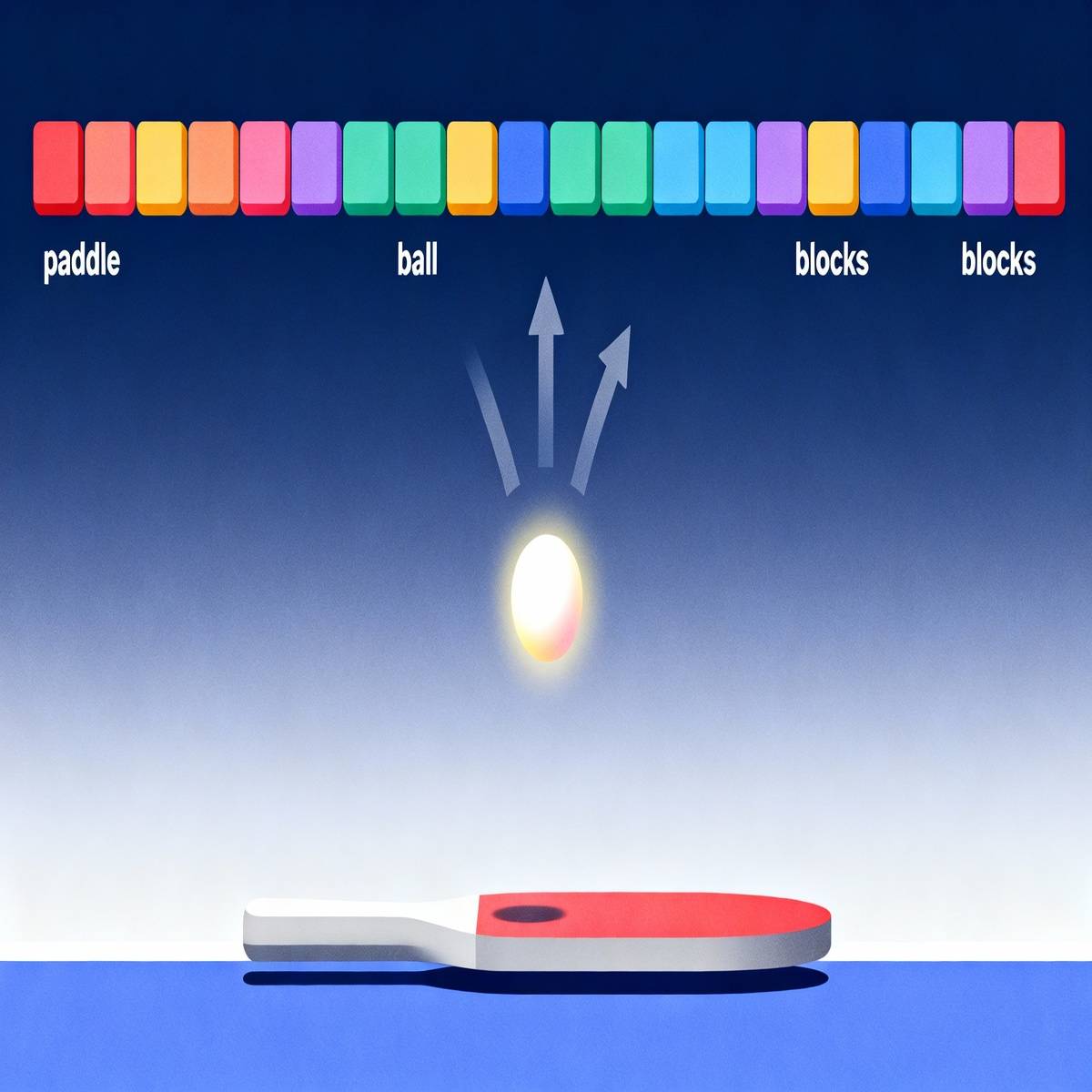
You control a paddle at the bottom of the screen, a ball bounces around, and your job is to break the colored blocks above without letting the ball fall past your paddle.
It all happens right inside the search results, which makes it feel very lightweight and easy to dip into.
Unlike a full downloadable game, there is no installation, no account to create, and no complex menus to navigate.
You simply launch the game and start playing within seconds, which is probably why people discover it during small breaks at work or while idly browsing on a phone.
It is casual by design, but there is still enough depth to keep you coming back if you enjoy chasing higher scores.
A simple, non‑technical explanation
If you have never played a brick breaker game before, picture something like this: a horizontal paddle at the bottom of the screen, a ball bouncing off surfaces,
and rows of blocks at the top that disappear when the ball hits them.
You move the paddle left and right, guiding where the ball goes next.
The fun comes from the rhythm and the small decisions: do you try to angle the ball to reach a tricky corner,
or do you play it safe and just keep the ball from escaping below the paddle?
In the middle of a workday, it can feel oddly satisfying to clear one more row of blocks before you get back to your real tasks.
Why Google leans into Breakout‑style games
Google has a long habit of hiding playful experiences inside otherwise serious products, from doodle games to small Easter eggs in search.
A brick breaker fits perfectly into that pattern because it is instantly understandable and works well with basic keyboard or touch controls.
There is also an emotional layer here: many people remember older arcade or console games where the goal was just to keep a ball bouncing and clear every block.
When a modern search engine quietly offers something similar, it taps into that nostalgia without requiring any technical setup.
How to find and launch block breaker in Google
Finding the game is usually very straightforward, but there are small differences between desktop and mobile.
In most cases, you only need a modern web browser and a stable internet connection; no special extensions or add‑ons are required.
Playing on desktop browsers
On a desktop or laptop, open your preferred browser and go to Google as you normally would.
Type a query like block breaker or block breaker google into the search bar and press Enter.
When the game is available in your region and on your current setup, you should see an interactive game card or panel at the top of the results.
From there, you typically only need to click a Play button to start.
The game area opens right in the results, and your keyboard or mouse immediately becomes the primary way to control the paddle.
It feels almost like an embedded mini‑app rather than a separate website.
Playing on Android or iOS
On mobile, the process is similar but your thumbs and swipes take over.
Open the browser on your phone, go to Google, and type the same search terms you would on desktop.
When the game tile appears, tap it to launch and the controls will adapt to touch.
You might notice that the game feels a bit different on a smaller screen: the paddle movement can be more sensitive,
and your finger covers a portion of the display while you slide left and right.
It is normal to need a few attempts before your movements feel smooth, so it helps to treat the first run or two as a warm‑up rather than a serious high‑score attempt.
What to try if the game does not appear
Occasionally, you might type in the right phrase, press Enter, and see no game at all.
That does not necessarily mean you have done anything wrong.
Features like this can roll out gradually, vary by region, or behave differently for different types of accounts or devices.
A few quick checks you can try include switching to another browser, signing in or out of your Google account,
temporarily disabling strict content blockers, or making sure your connection is not heavily filtered by a workplace or school network.
If none of that helps, it may simply be that the game is not available in your location yet, in which case you can still enjoy similar brick breaker experiences on other sites.
How the block breaker google game works
Once the game loads, it usually drops you straight into the first level with a simple layout of blocks and a single ball.
There is no complex story; the “plot,” if you can call it that, is just you versus gravity and your own reaction time.
Rules, lives, and scoring
The basic rule is straightforward: keep the ball in play and break every block on the screen.
Let the ball slip past the paddle and you lose a life; run out of lives and that particular run ends.
Your score increases as you clear blocks and complete stages, with higher difficulty generally rewarding more points.
You might notice that not all blocks are equal.
Some can require more than one hit, some may contain power‑ups, and others might be arranged in patterns that make them harder to reach.
The scoring system often nudges you to aim for tricky sections, so there is always a small tension between safety and ambition.
Controls and interface
On desktop, you will usually move the paddle either with the arrow keys or by sliding your mouse horizontally.
The game tends to respond best to smooth, controlled movements instead of frantic jerks, so it can help to sit a little closer and watch the ball carefully.
On mobile, you control the paddle with your finger.
You swipe or drag left and right along the bottom area of the screen, and the paddle follows.
There is a small learning curve because each person has different thumb speed, so do not be surprised if it feels slightly off in your first few games.
Bricks, stages, and difficulty
As you progress, stages tend to become more complex: more rows of bricks, tighter gaps, and layouts that require you to think about angles.
Instead of just reacting, you start planning your shots, trying to send the ball into pockets where it will bounce around for a while without needing constant intervention.
Difficulty usually increases in a few ways at once: the ball might move faster, the number of safe shots shrinks,
and power‑ups appear in ways that tempt you into risky moves.
This is where the game shifts from a simple distraction into something that can genuinely test your focus.

Power‑ups and special elements in block breaker
One reason a brick breaker stays interesting beyond the first few levels is the presence of power‑ups and other twists.
They can make you feel incredibly powerful for a moment, but they can also introduce chaos if you are not ready for them.
Common power‑ups and what they do
Depending on the version, you may see power‑ups that fall from broken bricks as small icons.
When your paddle catches them, they trigger an effect: extra balls in play, a wider paddle, stronger shots, or changes in ball speed.
Multi‑ball power‑ups, for example, can quickly clear large sections of the board, but they demand more attention because you must track several balls at once.
A wider paddle can feel like a relief, giving you more room for error, while laser‑style effects can let you shoot through bricks rather than waiting for the ball to reach them.
Which power‑ups to prioritize
It is tempting to grab every single power‑up that appears, but that is not always the safest approach.
Some boosts make the game harder to control, especially when the screen fills with multiple balls moving at different angles.
A practical rule of thumb is to favor power‑ups that increase your margin for error, like a bigger paddle or a temporary slowdown,
and to be more cautious with anything that dramatically speeds things up.
Over time, you will develop a personal sense of which icons feel like a gift and which ones you avoid when you are close to losing a life.
Adapting your strategy around power‑ups
Catching a strong power‑up can change the entire tone of a stage.
You might switch from careful defensive play to aggressive moves that aim to open narrow channels and let the balls run wild near the top of the screen.
At the same time, it is perfectly reasonable to ignore a power‑up if going for it would drag your paddle into a dangerous position.
Part of playing well is accepting that you do not need every advantage; you just need enough stability to keep your run alive.
From beginner to advanced: strategy for block breaker google
Strategies in a game like this are less about memorizing secrets and more about building habits.
The more you play, the more your hands and eyes learn to work together, so patience matters almost as much as raw reflexes.
Beginner tips for your first runs
When you are starting out, focus on one thing: always know where the ball is heading next.
It sounds obvious, but it is surprisingly easy to glance at the score or the remaining bricks and lose track of the ball for a split second.
At first, aim to hit the ball with the middle area of the paddle so the rebound angle is more predictable.
You do not need fancy trick shots to clear the early stages; consistency is more valuable than cleverness in your first few games.
Intermediate tactics to go deeper
Once you feel comfortable surviving basic layouts, start experimenting with intentional angles.
Hitting the ball closer to the edges of the paddle will send it on steeper paths, which can help it reach awkward corners and push into upper rows of bricks.
A common tactic is to create “tunnels” that let the ball slip behind the main wall of blocks.
When it bounces around up there by itself, you can briefly relax and reposition the paddle for where it might finally drop.
It is not an exact science, but this approach can clear big chunks of the board with very few paddle hits.
Advanced ideas for high scores
At higher levels, you will start thinking less about individual bricks and more about the overall rhythm of the game.
That might mean deliberately avoiding risky shots that send the ball practically vertical, or choosing power‑ups that match your current comfort level rather than blindly chasing maximum speed.
Some players enjoy treating the game almost like a meditation exercise: the paddle moves smoothly, the eyes stay soft but focused,
and they accept that they will make mistakes now and then.
This calm mindset tends to help more than trying to “force” perfect play, especially when multiple balls are flying around.
The history behind block breaker google and classic Breakout
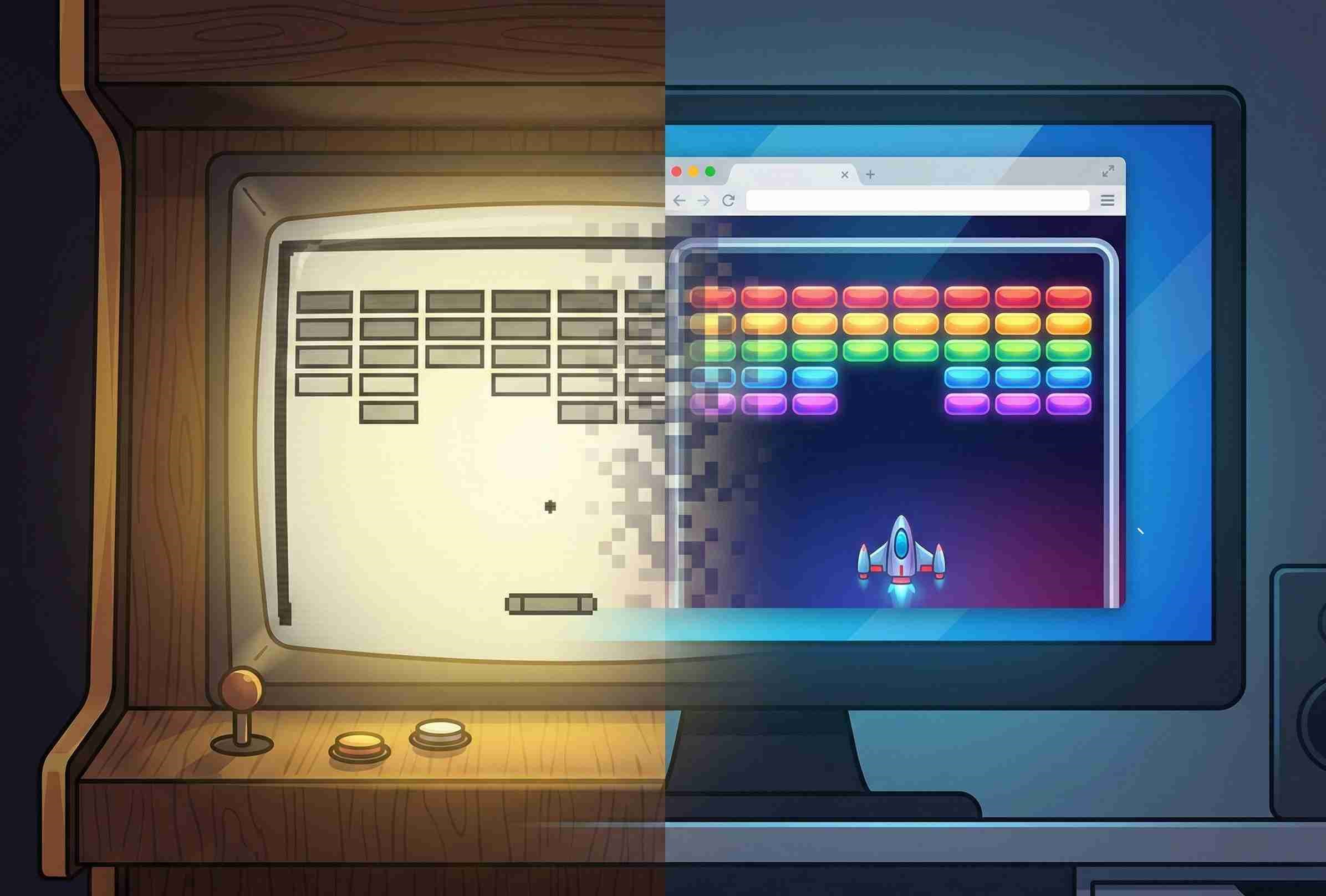
The block breaker style did not begin with modern browsers; it traces back to early arcade games where a simple paddle and ball could keep people hooked for hours.
Over the years, that basic formula has appeared in countless variations across consoles, computers, and now search engines.
A short look at Breakout‑style games
The original Breakout concept was built around very limited hardware, which is why the design is so stripped down.
The screen holds only a few key elements, yet the challenge escalates naturally as the ball speeds up and the number of remaining bricks shrinks.
Modern versions, including browser‑based ones, often keep the same core idea but add twists: new brick types, special effects, or more elaborate level layouts.
Even so, the heart of the game remains the same: move the paddle, hit the ball, clear the board.
Google’s earlier Breakout‑style Easter egg
Before this current game, Google was known for a different Breakout‑like Easter egg built into image search.
Users could trigger it with a specific query and watch the interface transform into a playable game.
Although that particular Easter egg is no longer widely available in the original form, it set a pattern:
search results are not always static, and sometimes a familiar interface hides a playful surprise.
The new block breaker google game feels like a continuation of that playful spirit.
How the new game fits into Google’s mini‑game ecosystem
Over the years, Google has featured everything from sports doodles to simple platformers on its homepage and within search.
The brick breaker fits neatly alongside those, as a self‑contained challenge that anyone can access without a download.
For players, this means you can jump between different lightweight games without committing to long sessions.
For Google, it is a way to show a slightly more human side of the product, which might be why these experiments keep returning in different forms.
block breaker google vs other Breakout‑style games
Even if the Google version is the one you bump into first, it is not the only way to enjoy a brick breaker.
Comparing it with older versions and third‑party browser games can help you decide what you want out of the experience.
Google’s block breaker vs classic Breakout
Classic Breakout‑style games often run in a dedicated window or full‑screen mode, with tighter controls and more consistent performance.
By contrast, the Google version lives inside a search page, so it is more casual and easier to start, but not necessarily as deep.
If you care about pure nostalgia or very precise control, you might prefer a standalone recreation of the original.
If you mostly want a quick diversion and do not mind a slightly looser feel, the block breaker google game is perfectly fine for short sessions.
Google’s game vs third‑party browser block breakers
Third‑party sites sometimes offer full‑screen modes, progression systems, or themes that go far beyond the minimalist approach of the search‑based game.
They might track long‑term stats, unlock new modes, or support different difficulty settings.
On the other hand, they also require you to leave the search results and trust a separate website.
That is not necessarily a bad thing, but it is a different commitment level compared with clicking a simple Play button right where you already are.
Common problems and FAQs
Because the game runs inside a browser, many of the issues you might encounter are the same ones that affect other web content.
Still, it helps to have them spelled out, especially if you are not the type of person who enjoys troubleshooting.
Why can’t I see the game in my search results?
There are several possibilities: the feature may not be enabled in your region, your browser may be blocking necessary scripts,
or the game might be temporarily unavailable during tests or updates.
It can also be something as simple as a cached page that needs a refresh.
Trying a private or incognito window, switching devices, or using a different network can sometimes make the difference.
If none of that works, it is reasonable to assume that the game is not currently active for your setup, at least for the moment.
Can I save progress or high scores?
In many browser‑embedded games, progress is intentionally ephemeral.
The idea is to give you a quick challenge rather than a persistent account with levels and unlocks.
If you really care about a particular run, you can always take a screenshot or record your screen,
but it is worth accepting that part of the charm here lies in short, self‑contained sessions rather than long‑term progression.
Is block breaker google appropriate for kids or work breaks?
Content‑wise, the game is about as simple and non‑violent as it gets.
The main concern is time: it is very easy to say “just one more game” and suddenly realize that a 5‑minute break has turned into 25 minutes.
For younger players, a simple rule such as “two games and then a break” can work surprisingly well.
For adults using it during work, it helps to treat it as a small reset rather than a default activity whenever attention starts to drift.
Where to go next if you enjoy block breaker google
If you find yourself genuinely enjoying this small game, that is usually a sign that you like the underlying mechanic:
tracking a moving object, making quick decisions, and gradually improving your timing.
From here, you might want to explore more advanced strategy content focused specifically on squeezing the most out of each run,
or troubleshooting resources that dig deeper into technical issues when the game refuses to load properly.
You might even feel curious about dedicated comparisons between Google’s version and classic titles, just to see how the experiences line up.
Final thoughts on block breaker google
In the end, the block breaker google game is a small thing, but small things can be surprisingly memorable.
It turns a routine search into a tiny interactive moment, something you can enjoy for a few minutes without any setup or commitment.
If this guide has helped you understand how it works and how to play it a little better, then it has done its job.
The rest is up to your own curiosity, your patience, and how many times you are willing to say, “Alright, just one more round.”


More Stories
Best Budget Mechanical Keyboards in 2026: What to Buy (and What to Avoid)
Vimeo to MP3 Converter: Best Tools That Actually Work (Free & Online)
How to Combine Videos on iPhone